

Case studies
Food Delivery App
Role
UI/UX Designer & UX Researcher
Duration
15 weeks
Tools
Figma & Google Tools
Client
Google UX Design
01.-
Introduction
Research Overview
Title : Creating the Food Ordering App for Restaurant
Stakeholder : Google - Peer Review
Date : 18 September 2021
Research Goal : Figure if the food ordering app makes food order is quickly and easily to users.
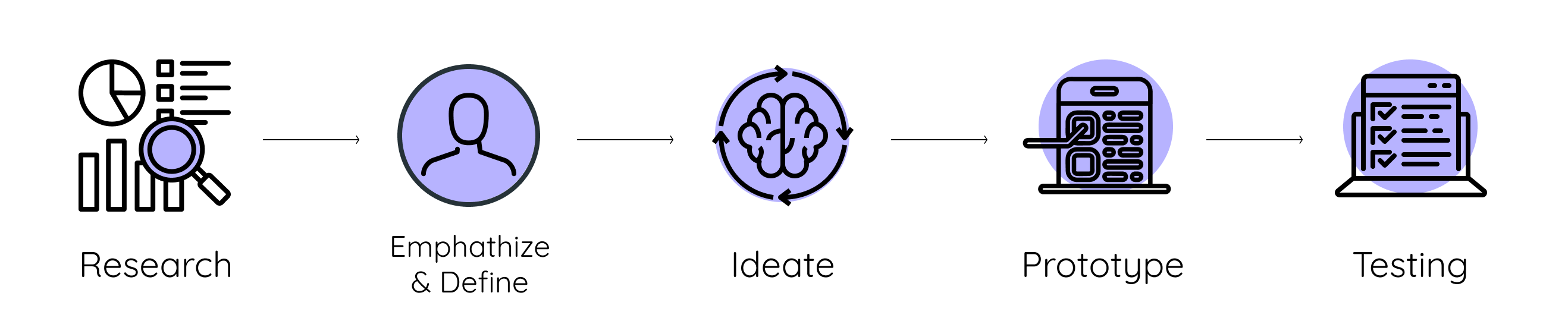
Product Lifecycle : Design Thinking
02.-
Research
Background Research
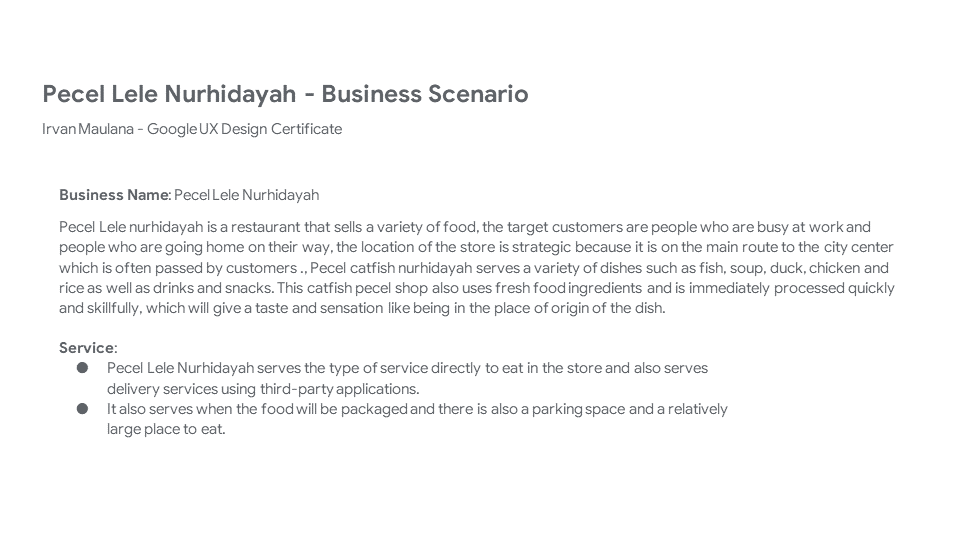
This research was created because of the need to do a submission task from the Google UX Design course to finish the course, here are given many options to choose from on the sharpen website and I chose the theme of the food ordering app that uses the delivery type of delivery to customers, for the name of the business I work with i use using the name of the local restaurant where I am live. With the specified deadline, this project has been completed using all stages of design thinking and has been approved and reviewed by peer review on the coursera website.
03.-
Empathise
User Persona
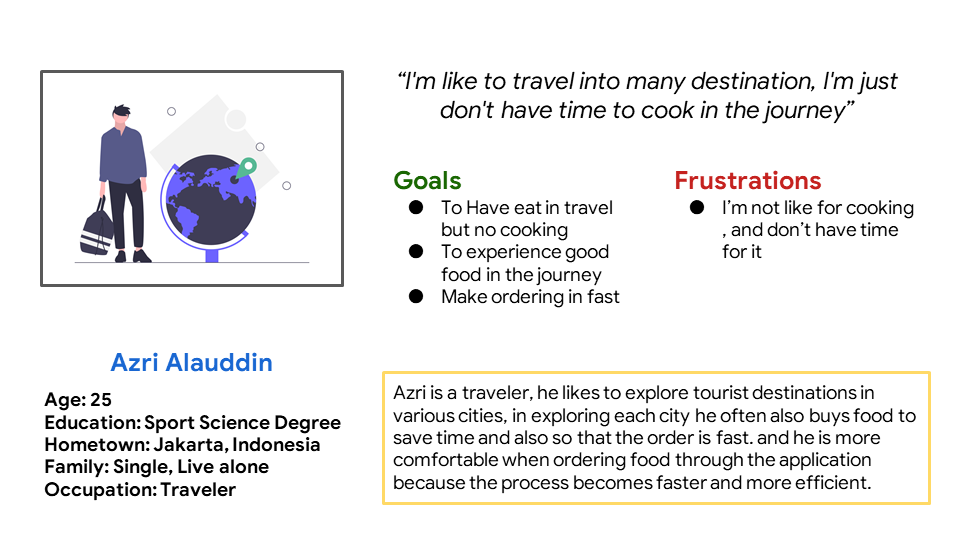
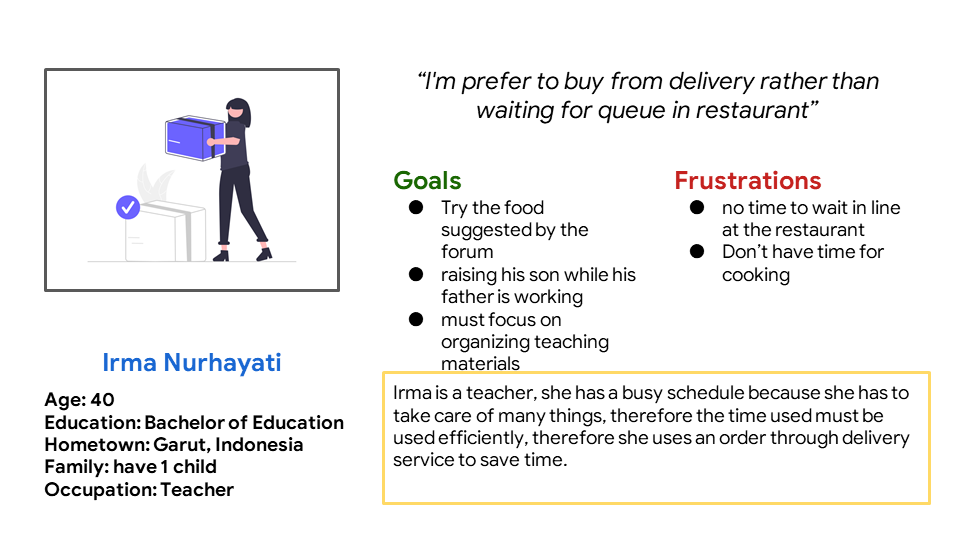
To better understand the user's situation, I conducted an interview which described the user of the application and came up with 2 personas.
User Story
Azri Alauddin : As a Traveler, I want to order food from the App so i can have more time to get into my
destination.
Irma Nurhayati : As a Teacher, I want to order food from App so i dont have to cooking and focus to
another things.
04.-
Define
Research Findings
In this stage, several research documents that have been carried out previously and collected in the define stage are described to be discussed in the next stage, the type of user studied based on the persona and stereotypes of the user.
Problem statement
1.Irma Nurhayati is a Teacher who needs Easy app to order food because she
doesnt have time to cooking
2.Irma Nurhayati is a Teacher who needs Quick and easily oder food from app
because she need the food fast to organize the another things
Hypothesis statement
If Irma need quick and easily process when ordering the food then Irma should download the app for ordering food via smartphone
04.1
DEFINE
Competitive Audit
To make a good product, the product must focus on its respective value proposition where each competitor
has its own value proposition, therefore for research purposes, Competitive Audit must exist as a
differentiator from products that are already on the market and as an attraction and product
references.
Here I add 4 competitors from the food business that I previously researched.
1.Warunk Upnormal
2.Geprek Bensu
3.Hoka Hoka Bento
4.KFC
Competitive Audit Full Report
Goal statement
Our Food order app will let users Buy the food quickly and easily in delivery which will affect A Teachers by Allowing them buy the food from the app & take the food by delivery. We will measure effectiveness by Analyzing the number of orders in a daily or monthly routine.
04.2
DEFINE
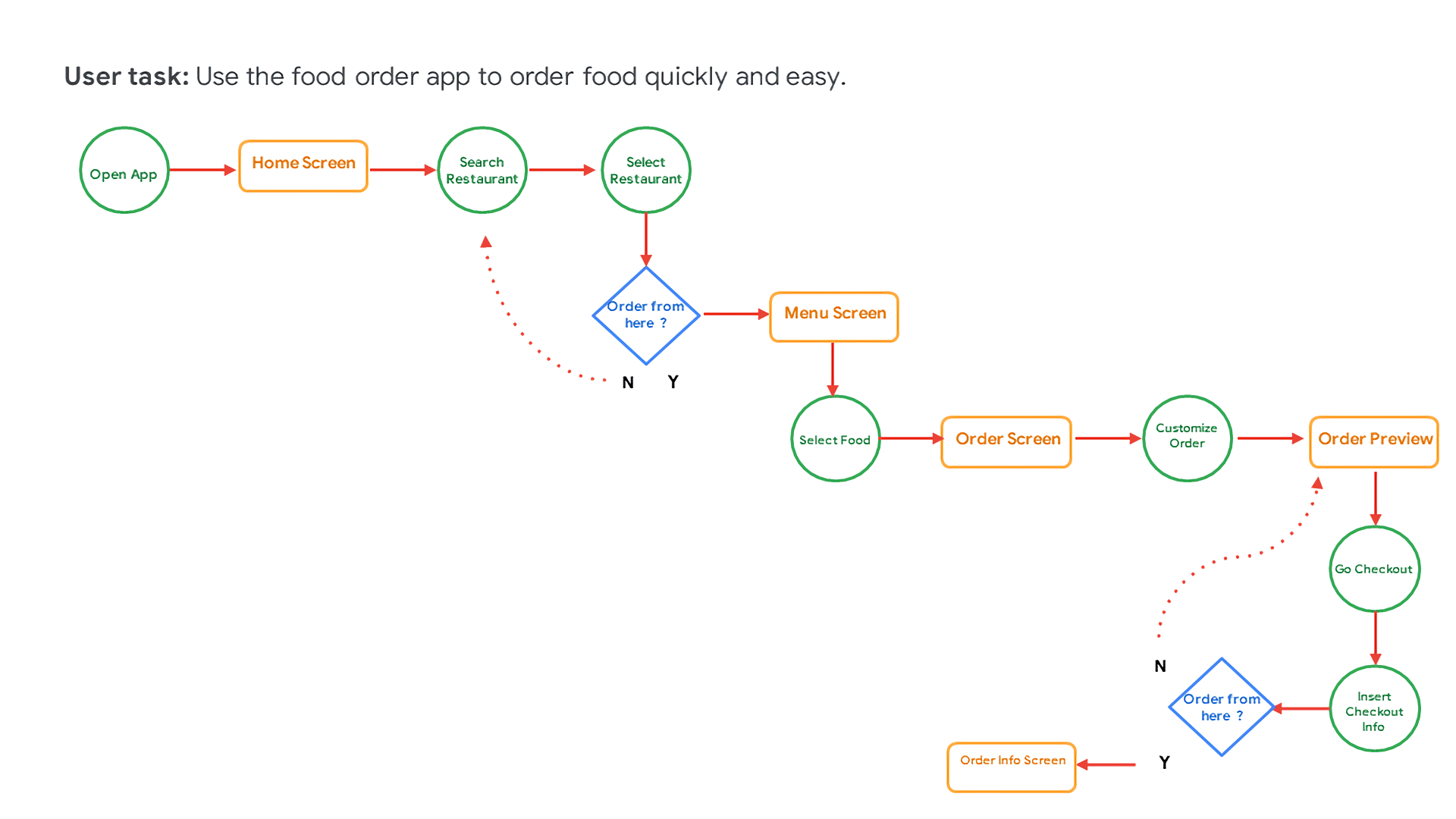
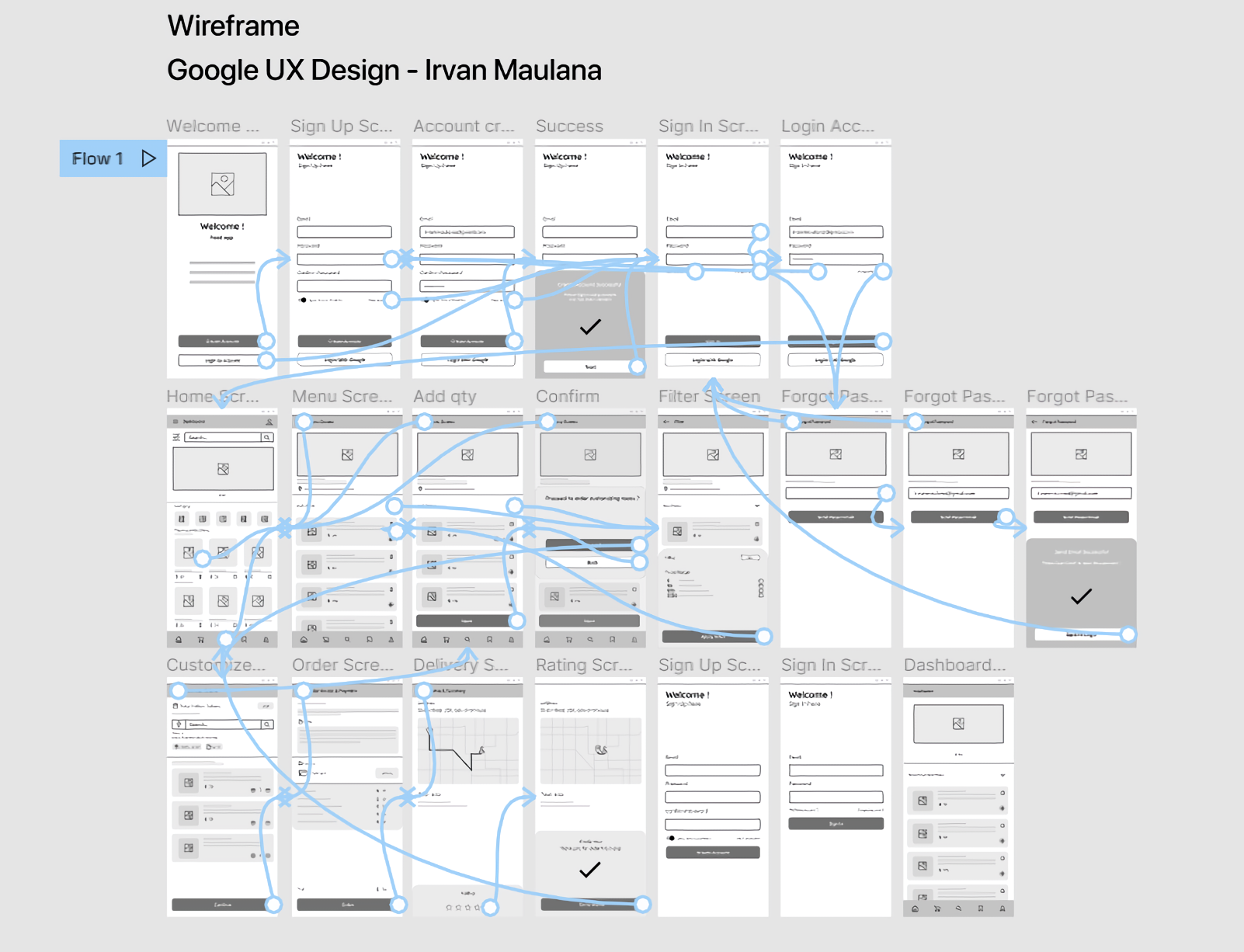
User Flow
At this stage describes the User Flow of the application, contains the general flow of the application.
04.3
DEFINE
User Journey Maps
At this stage, it explains about User Journey Maps, namely the things that are done to be able to
operate the application from start to finish.
I used the persona of Irma Nurhayati to research in User Journey Maps this time.
User Journey Maps Report
04.4
DEFINE
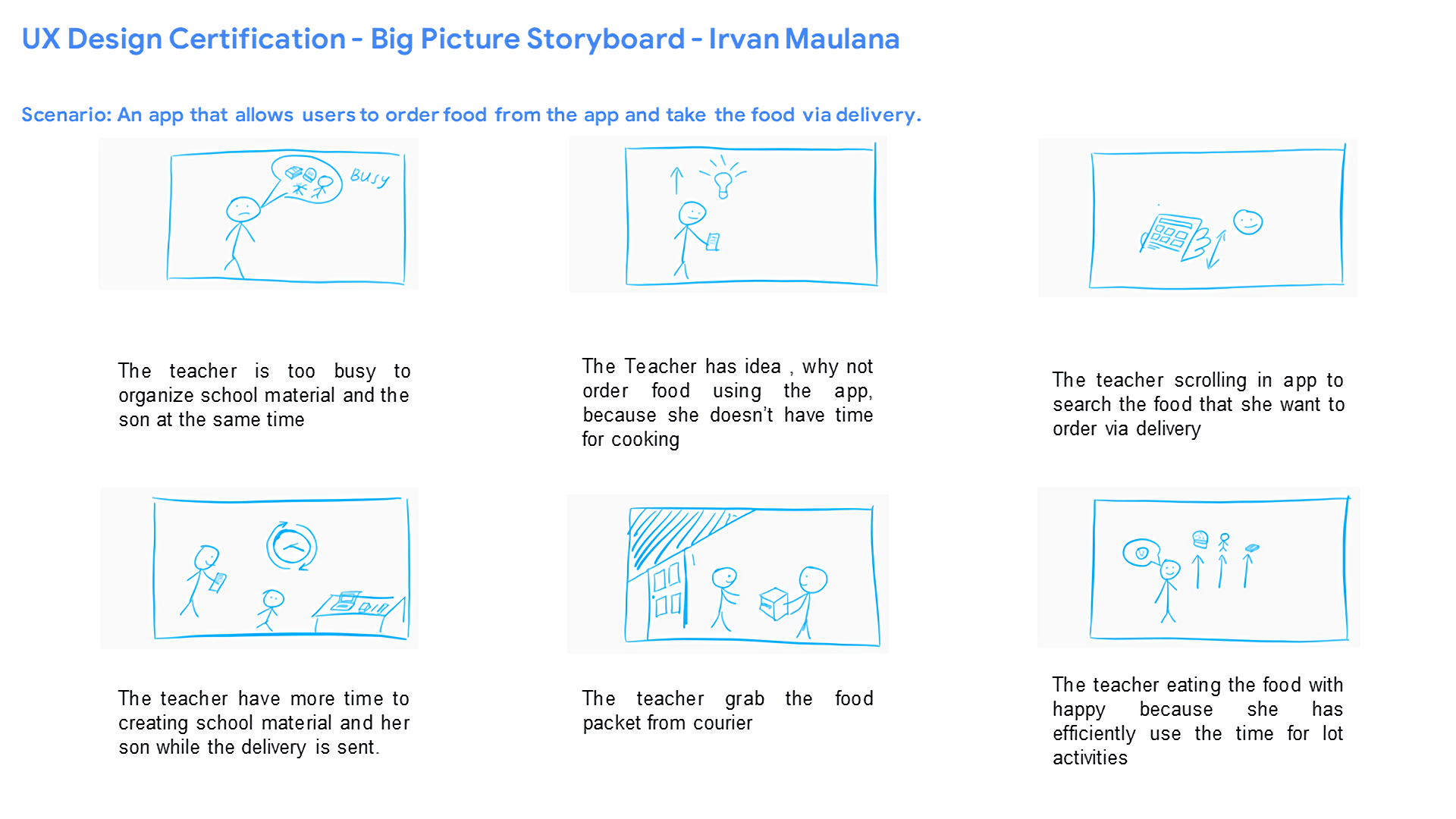
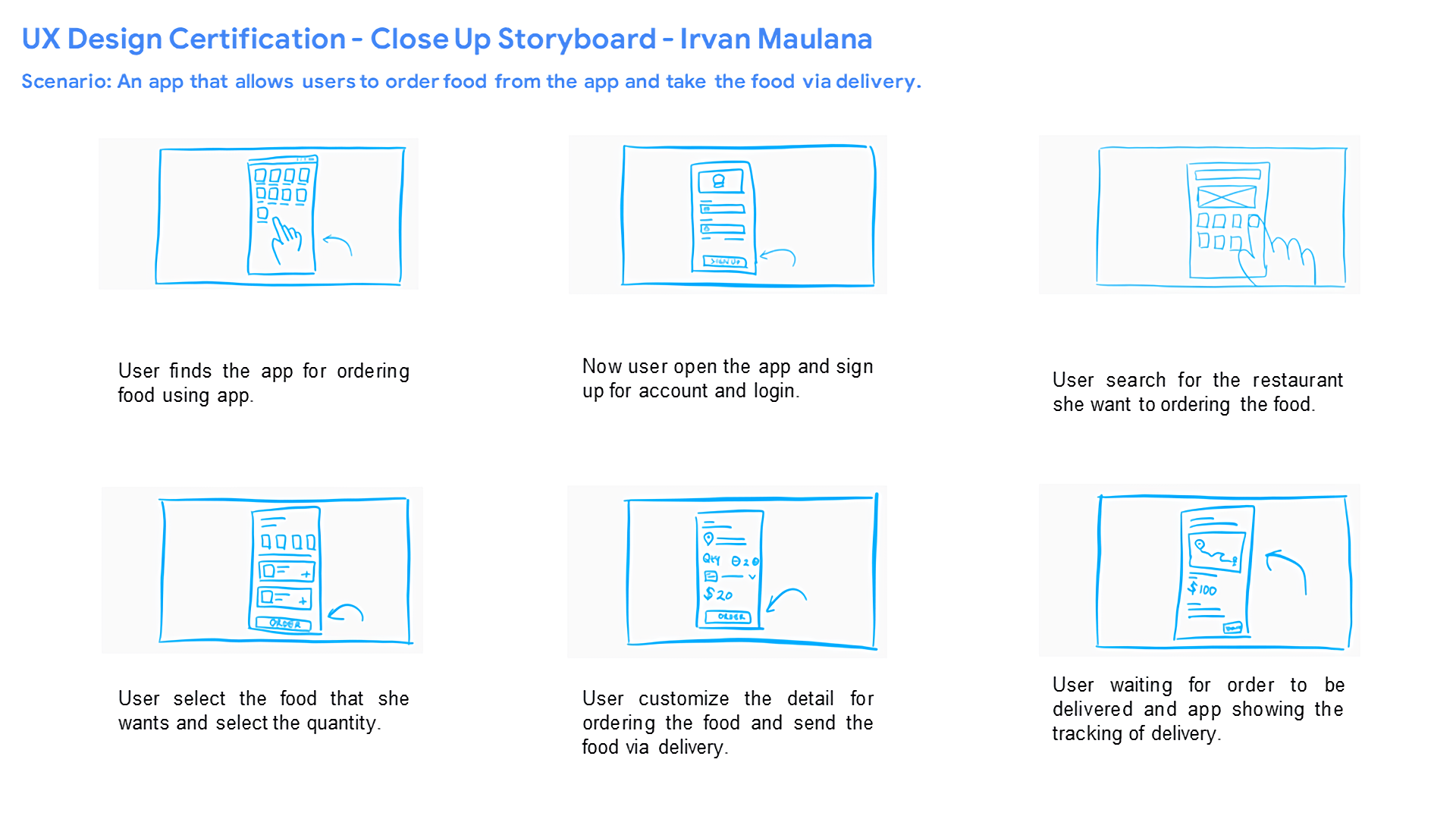
Storyboards
At this stage, we explain the Storyboard, in order to better understand the condition of the application running and the atmosphere when the user orders food through the application. I use 2 types of storyboards namely Big Picture Storyboard & Close Up Storyboard.
04.5
DEFINE
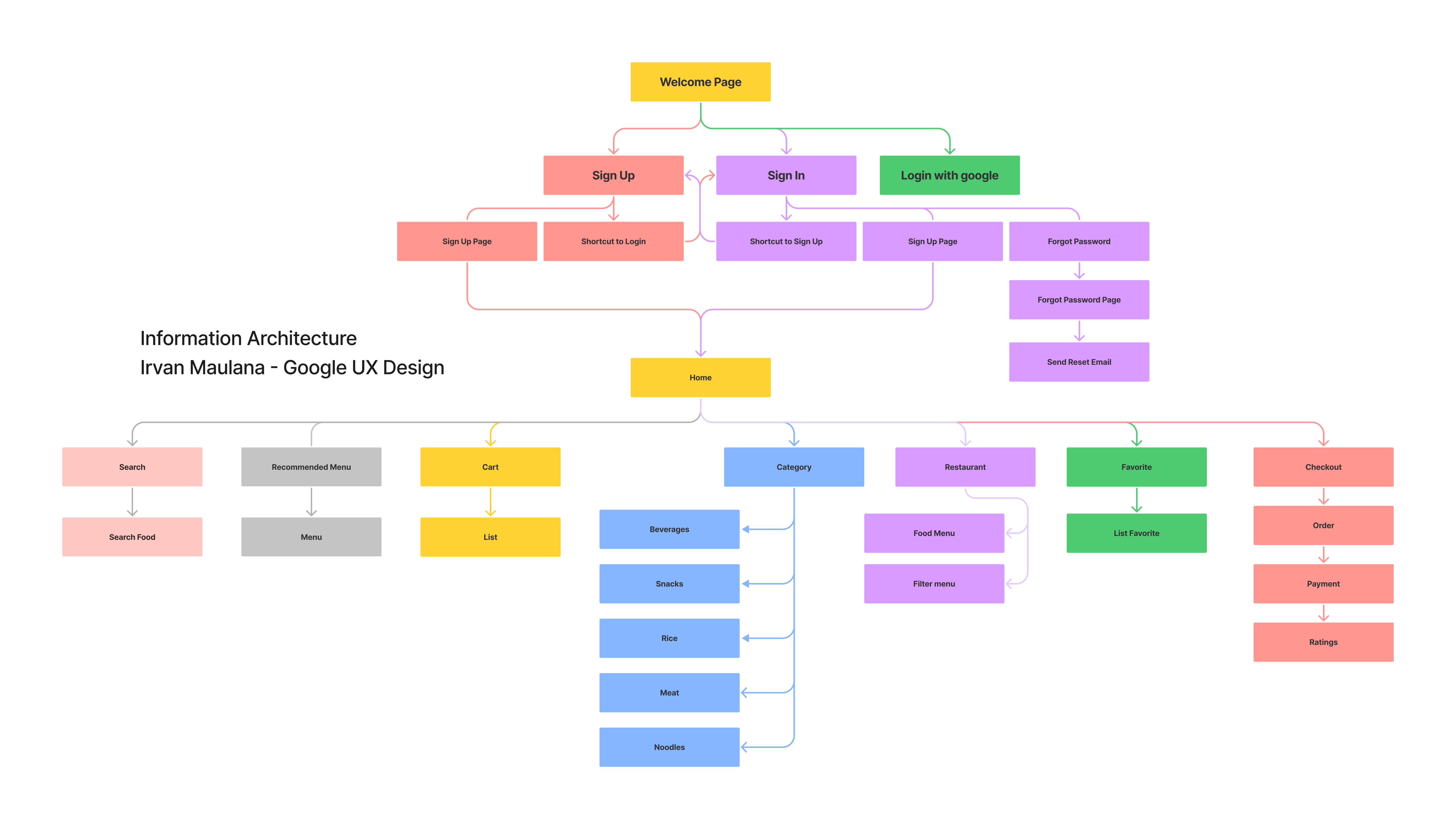
Information Architecture
At this stage explain the Information Architecture, in order to better understand the existing and structured data.
05.-
Ideate
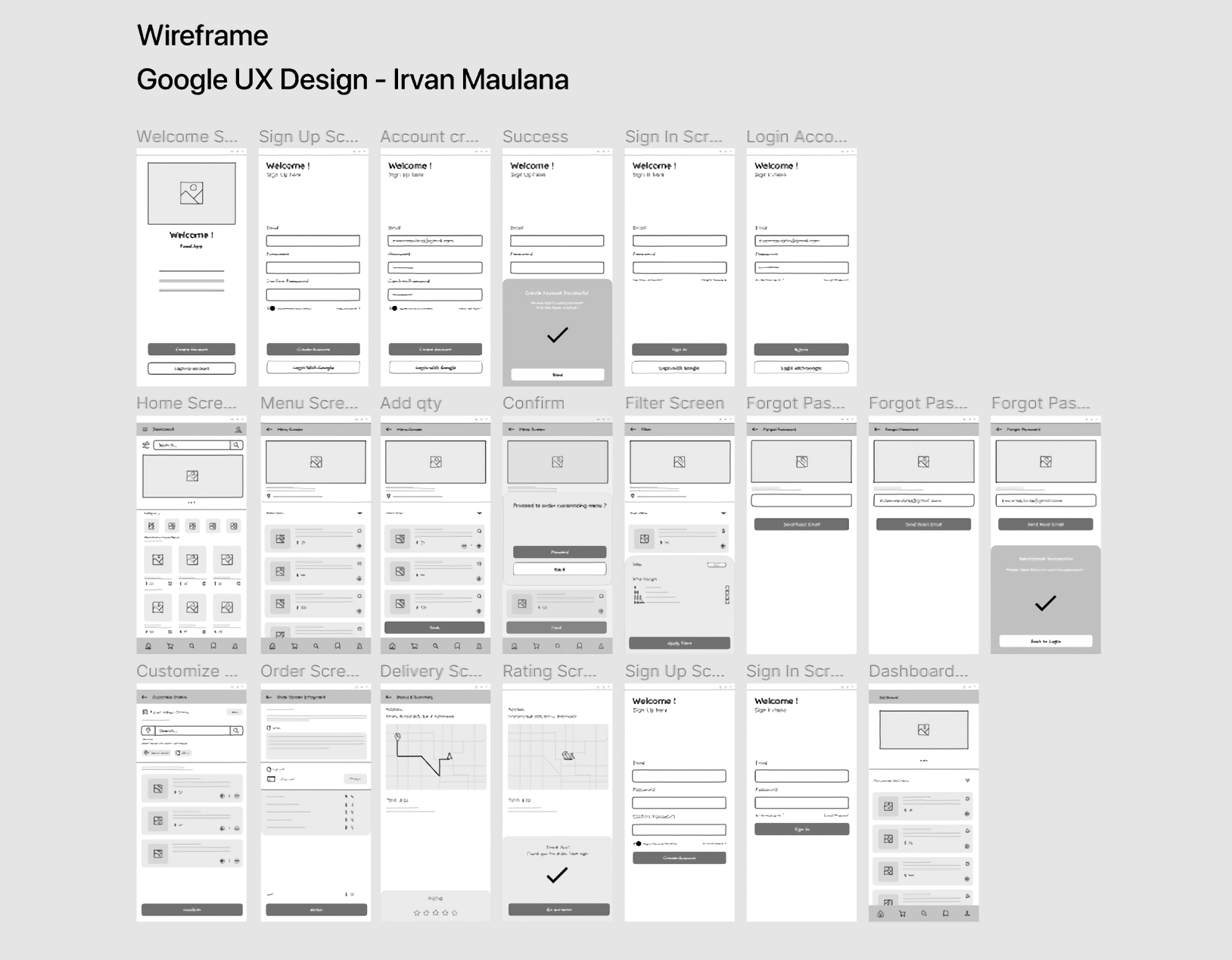
Wireframing
At this stage, explaining the digital type Wireframe, an overview of the concept of the application display design that will be made, the application is made to fulfill the main purpose of being able to order food by delivery.
06.-
Design & Prototype
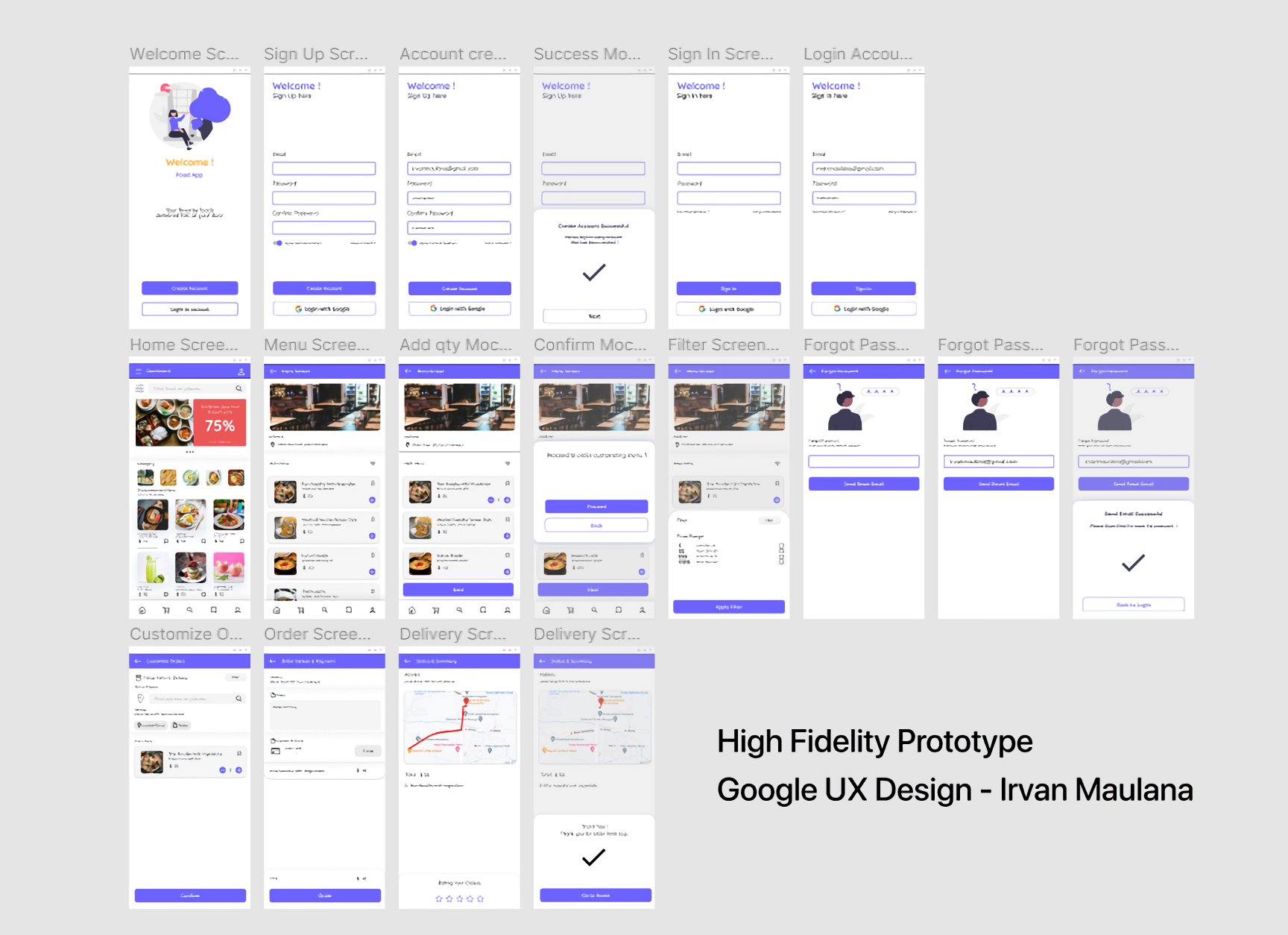
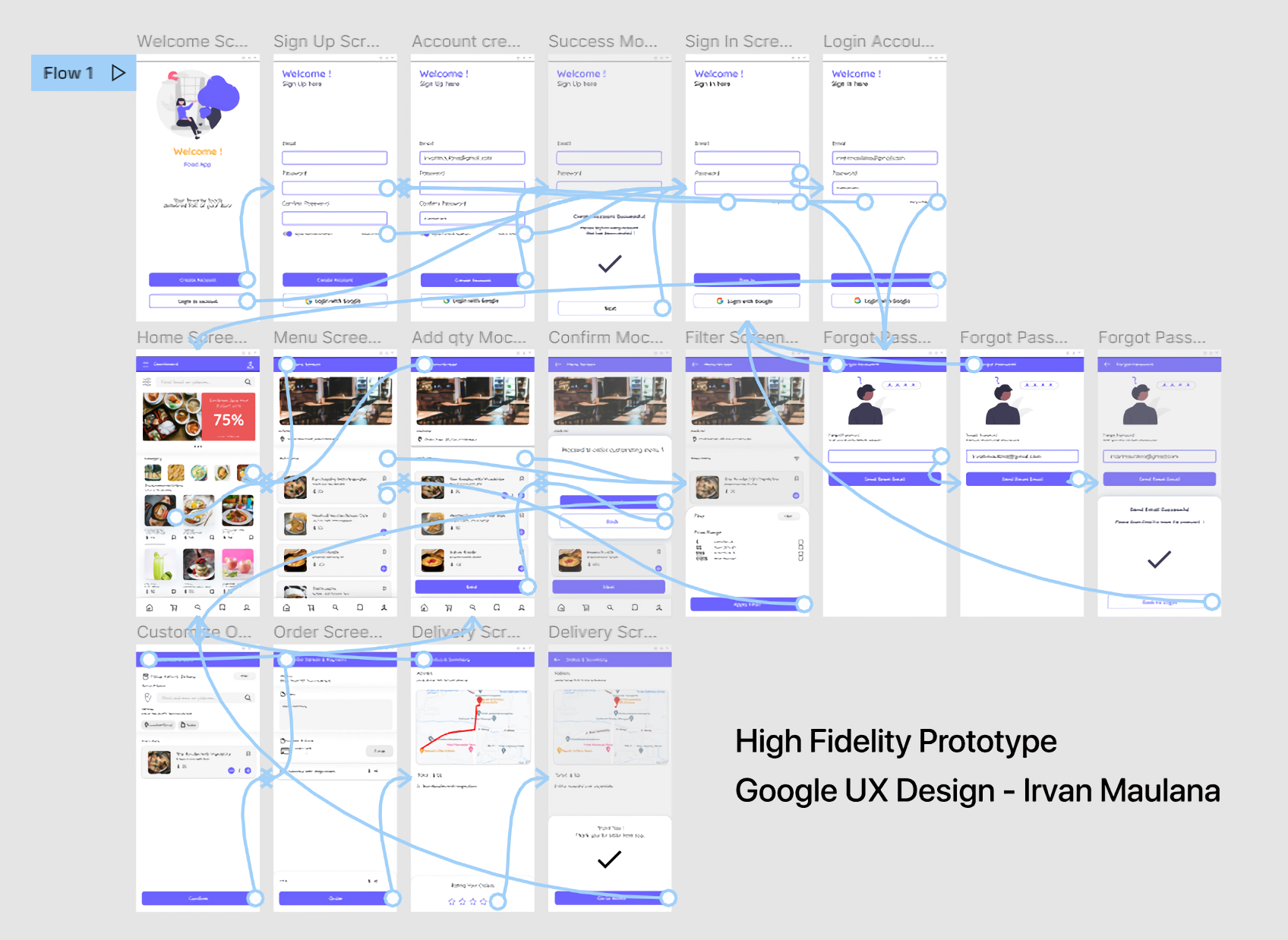
High Fidelity Prototype
At this stage, explaining the digital type Wireframe, an overview of the concept of the application display design that will be made, the application is made to fulfill the main purpose of being able to order food by delivery.
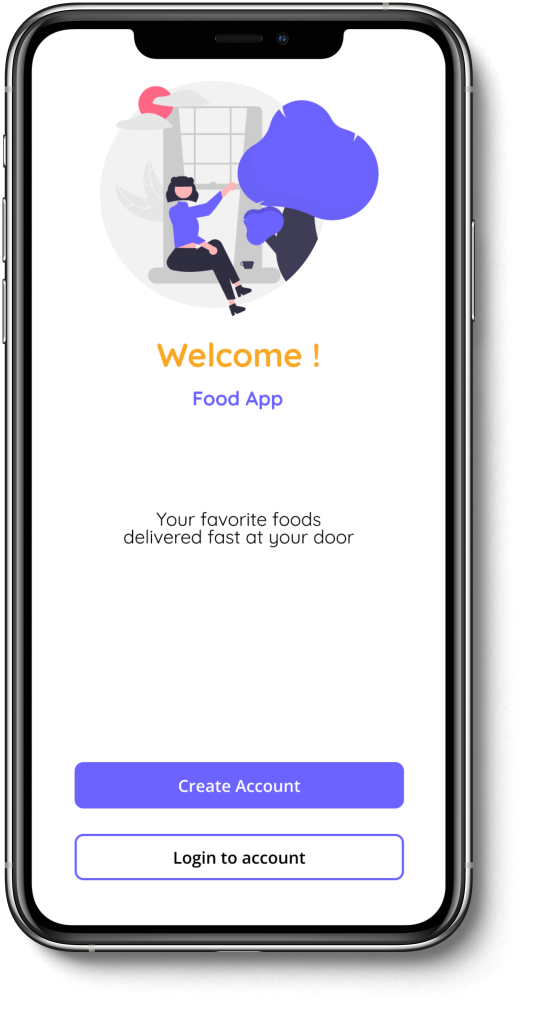
Welcome Page
The main page of the application after the user opens the application, here there will be 2 options for the user, namely to sign up and sign in.
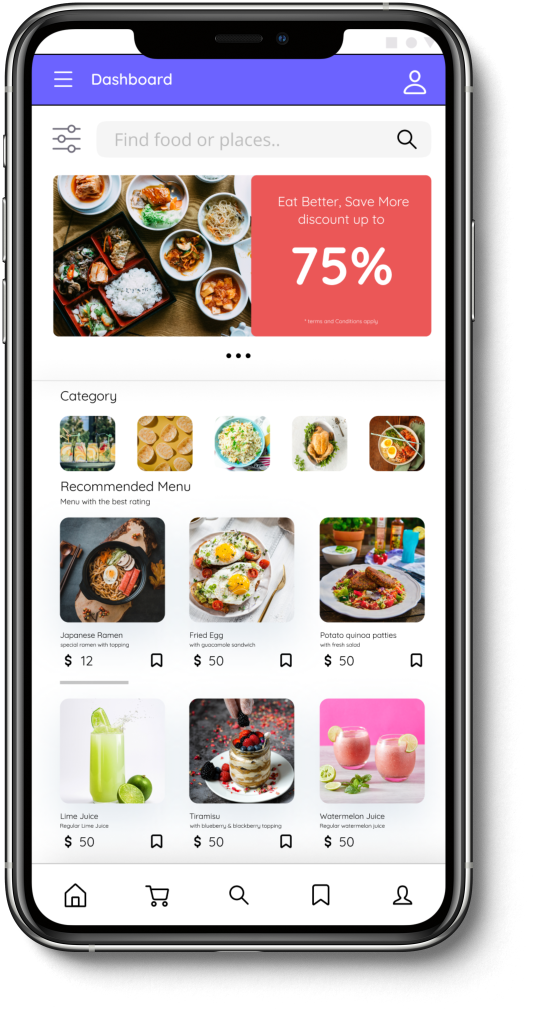
Homescreen
Homescreen page, here will be displayed if the user has signed in to the application. On this page, several menus will be displayed such as recommended menu, category, cart, favorite menu and profile menu and at the top there are discount promos and search features.
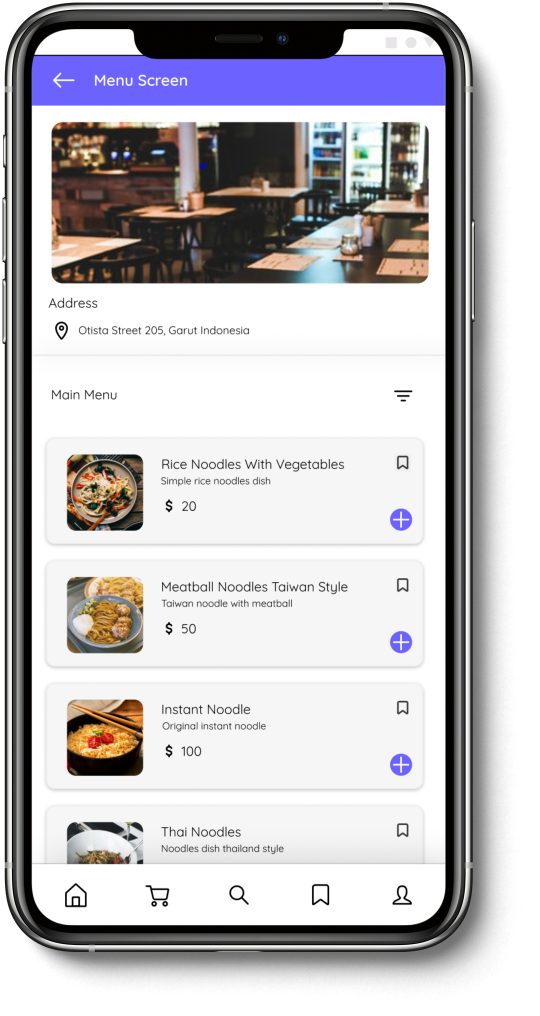
List Menu
The food menu list page, here will be displayed if the user presses a category or presses a food menu. On this page, several food menus will be displayed and there is a food filter feature based on price.
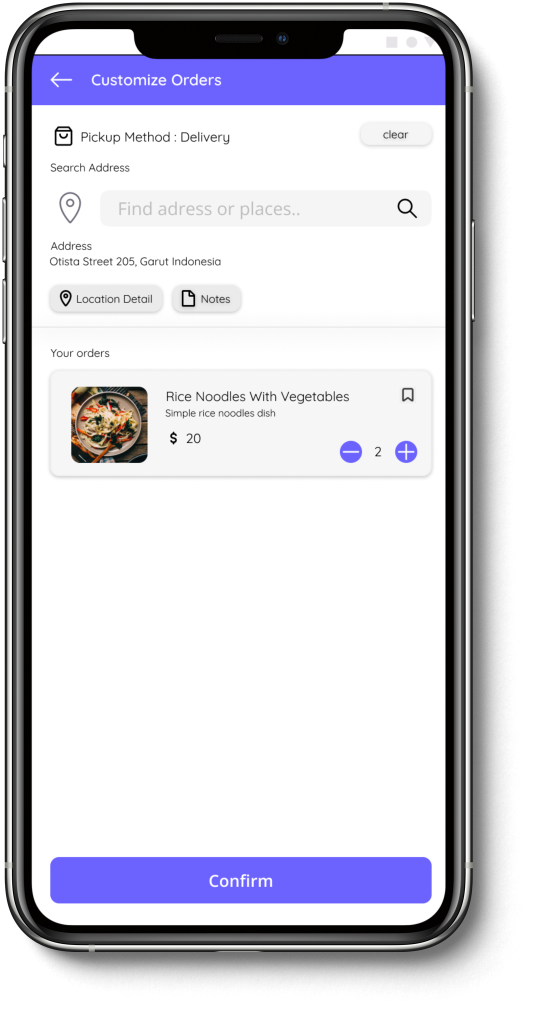
Order Screen
Order page, here will be displayed if the user has selected the ordered food menu and quantity. On this page, several order settings menus will be displayed such as pickup methods, find addresses, location details, notes and change the quantity of food ordered.
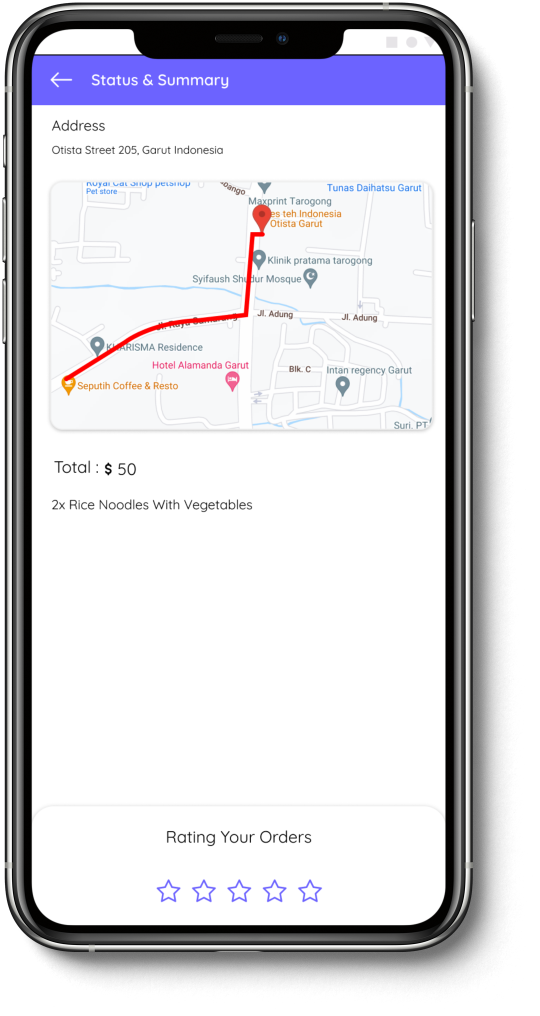
Tracking Screen
Delivery tracking page, here will be displayed if the user has ordered food. On this page, a real time tracking view of the food delivery will be displayed and when it is finished, you can rate our order directly.
07.-
TESTING
Usability Testing
Project : Food Delivery App
Test Type : Unmoderated Usability Testing
KPI : Time on Task, Conversion Rate, Drop Off Rate, SUS
Location : Indonesia, Remote (in home)
Date : 20 & 21 September 2021
Participants : 5 Participant have to order in app and try delivery order in app, and the
participants fills the form of questionnaire.
Session : Session in 1 hour, include presentation and introduction.
Incentive : Food Voucher
Target : 2 male, 2 female, 1 user with use of Assistive Technology. in range of 17-70. The people
that participants who frequently order food at restaurants be it for business or individuals.
Usability Testing Full Report
07.1
TESTING
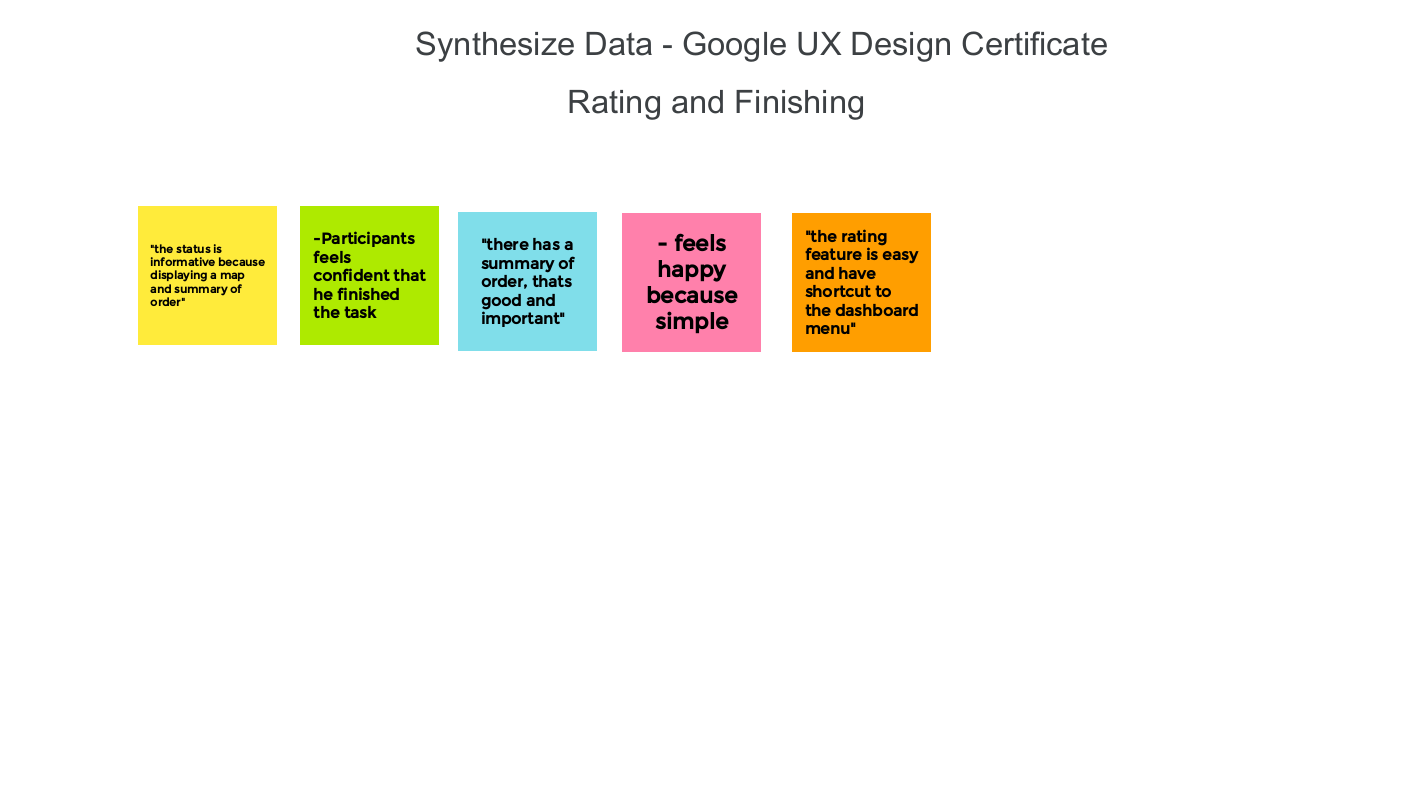
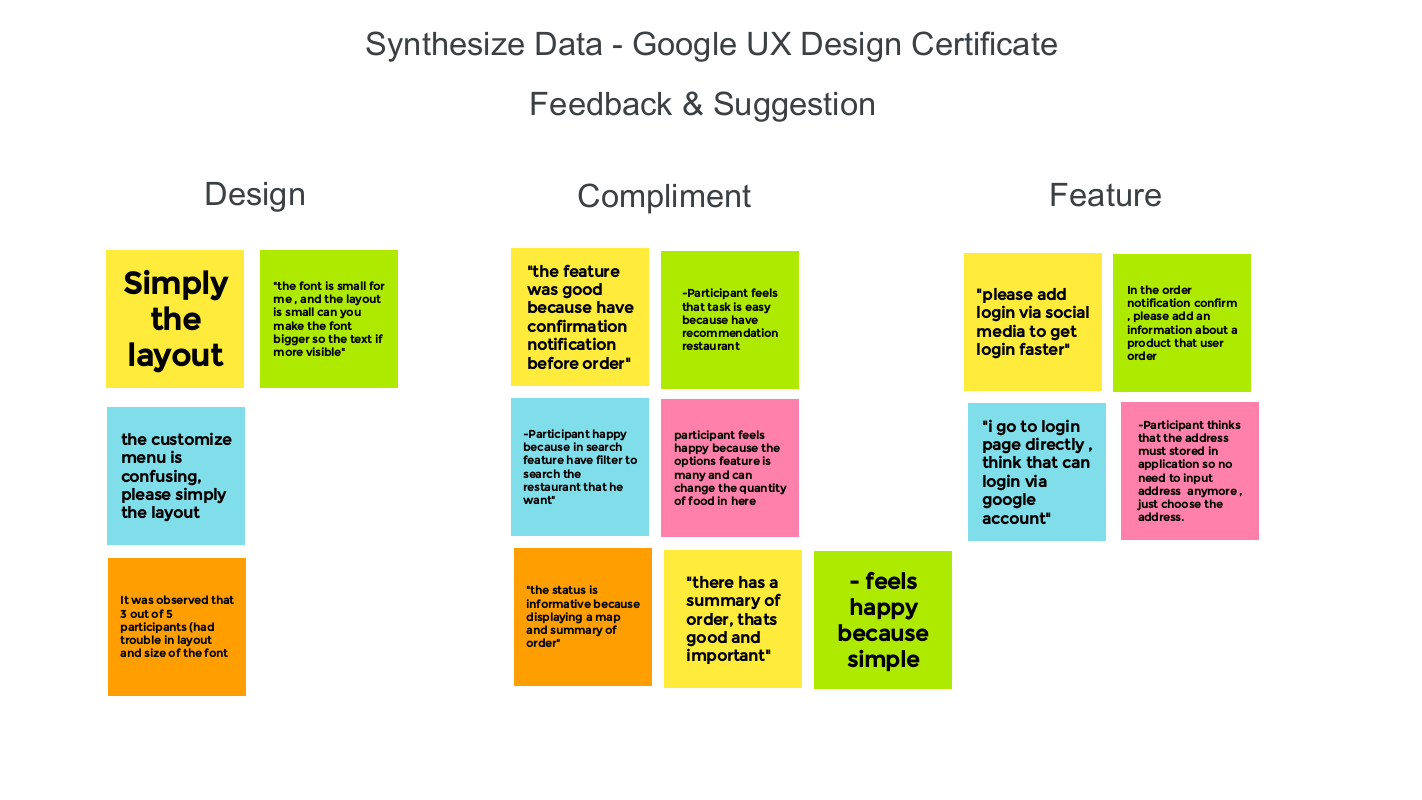
Synthesize Data
At this stage, all data generated from Usability Testing is collected and used as a conclusion as a
revision of the design concept.
the data displayed in the form of usability note taking data above, Pattern Identification and
Insight Identification as well as design revisions.
The data below is synthesized data from various features that have been tested, Data is displayed in the form of an Affinity Diagram.
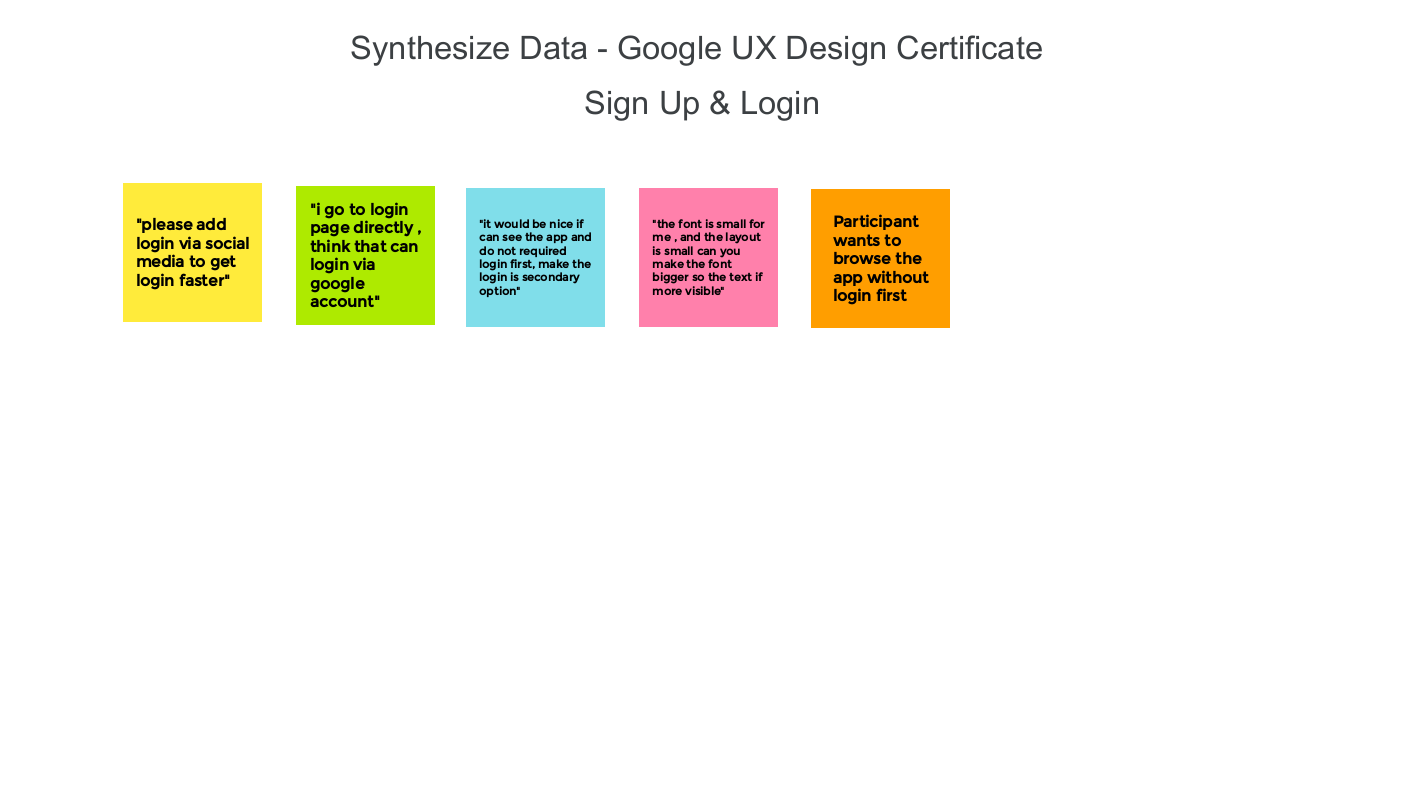
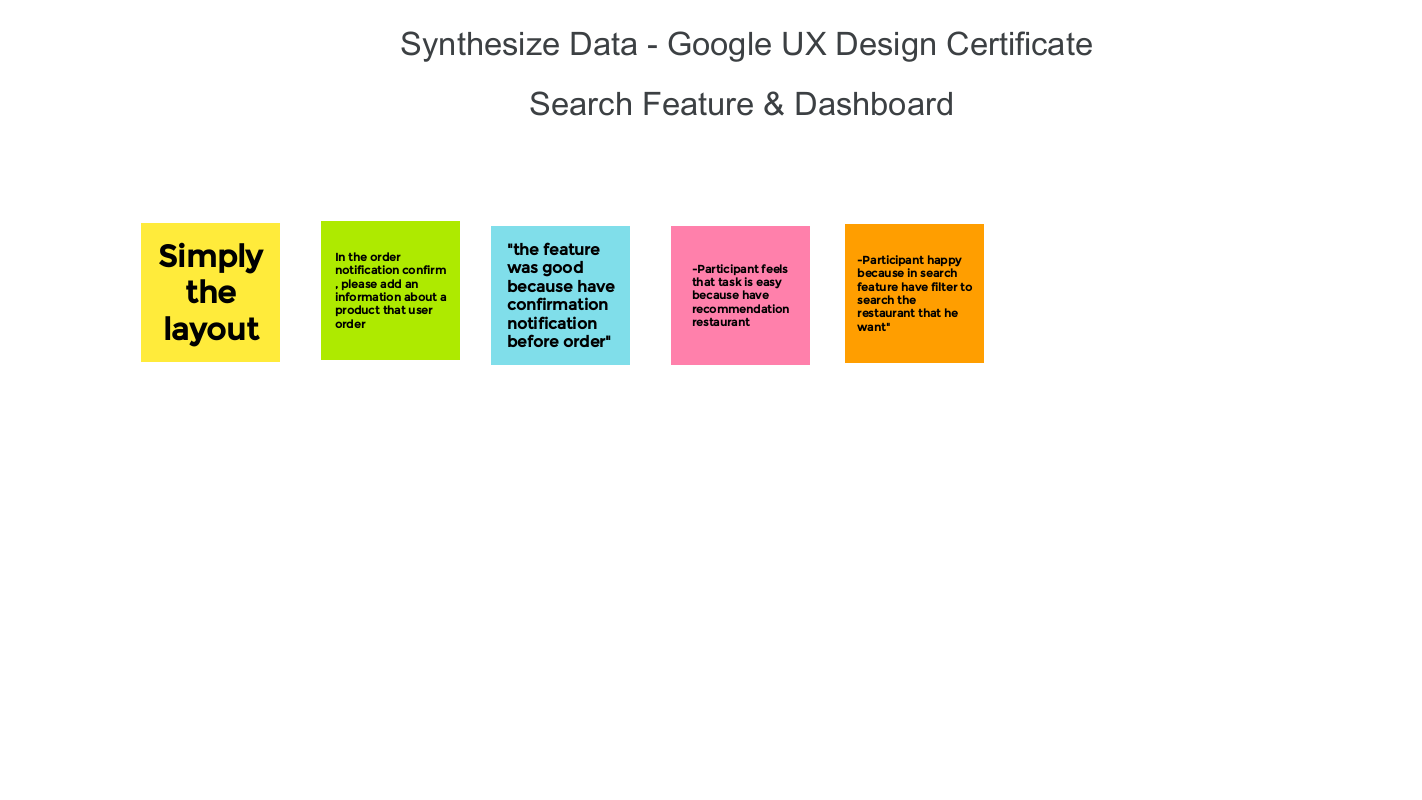
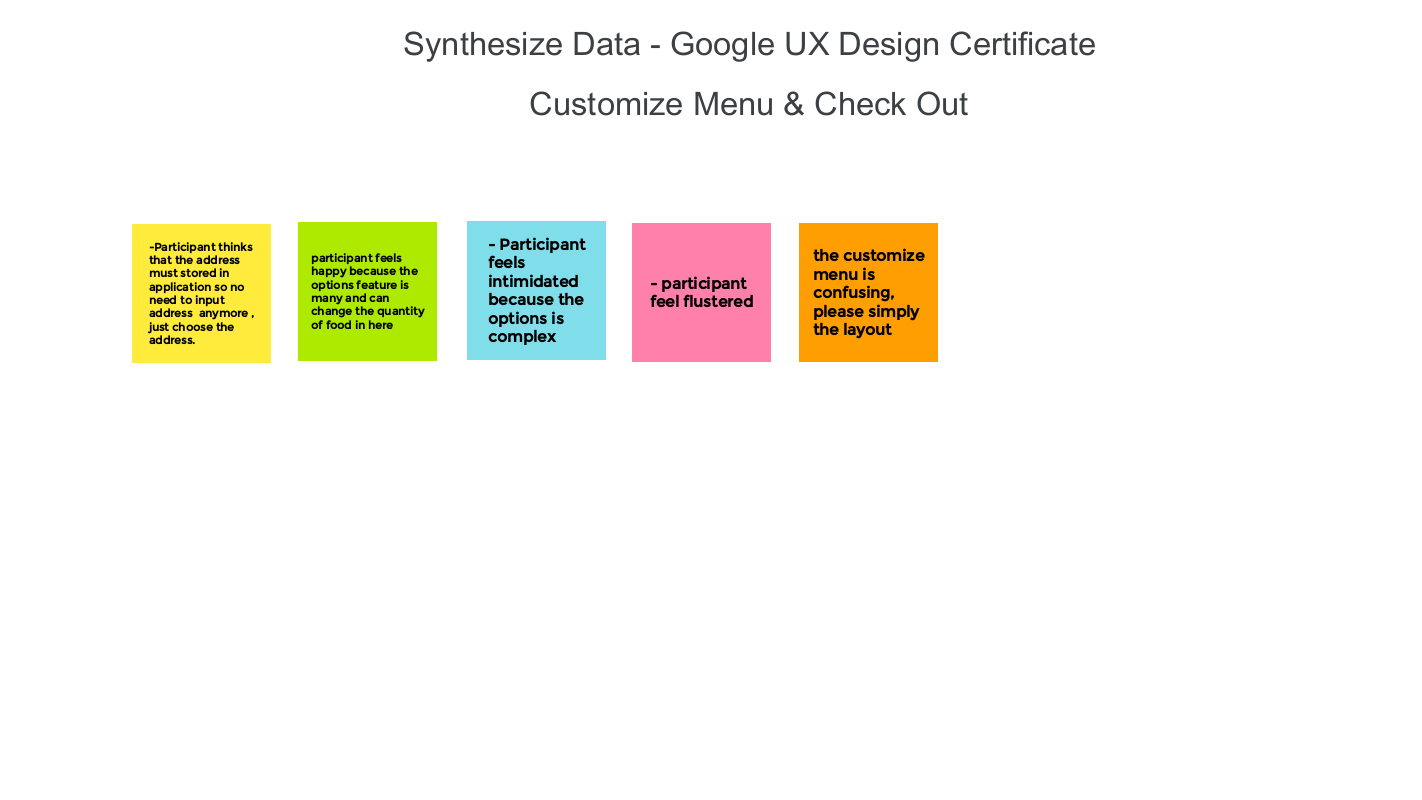
Synthesize Data Conclusion
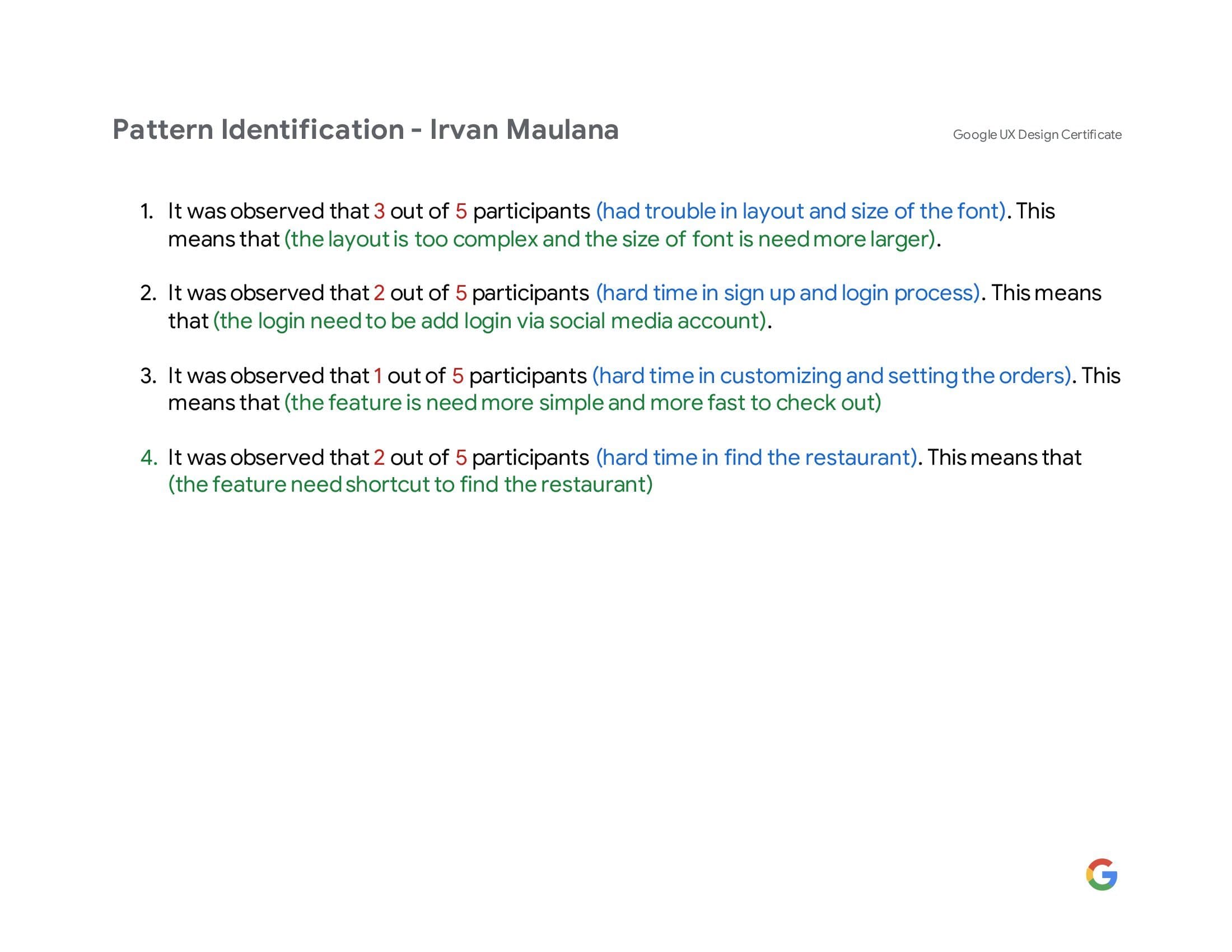
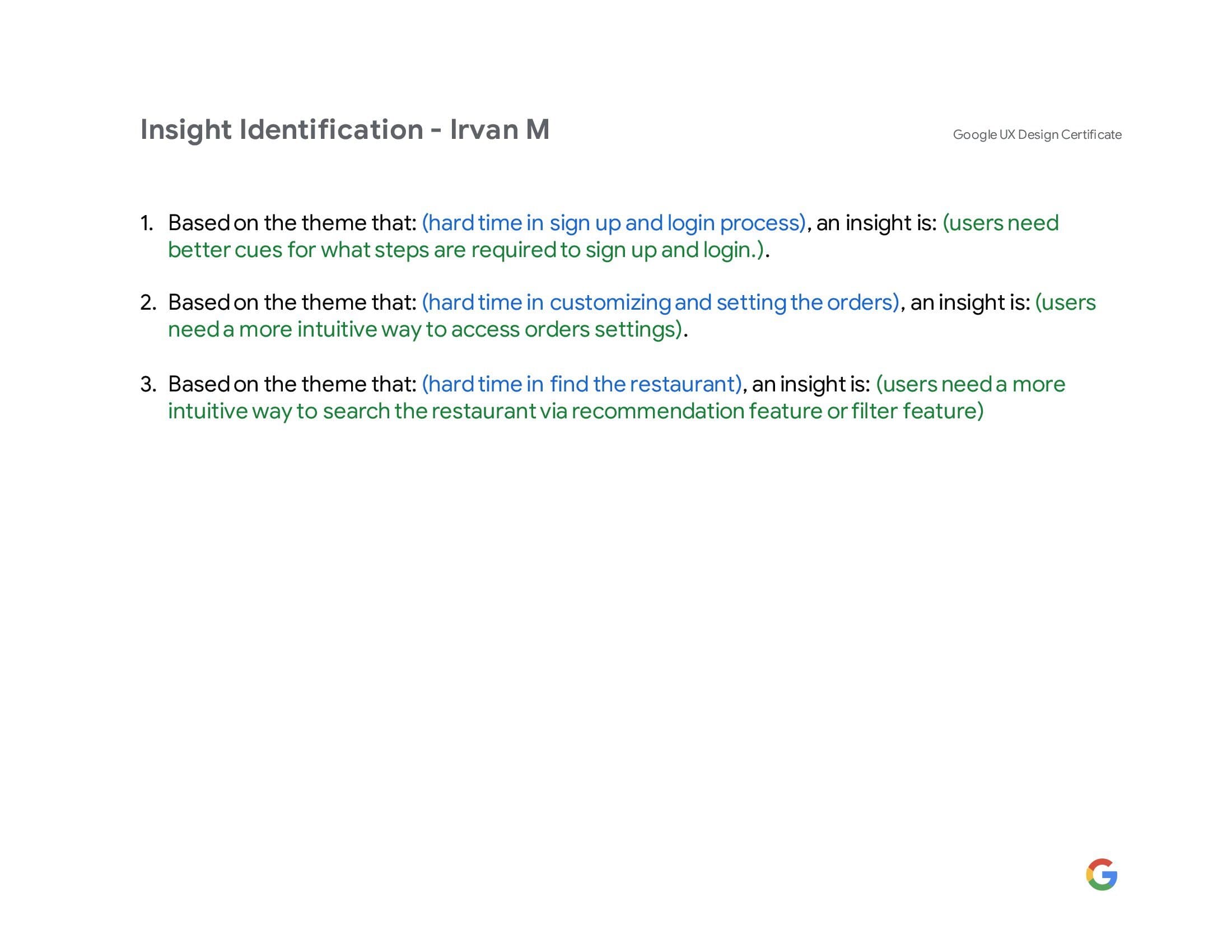
Pattern Identification & Insight Identification
The data below are Pattern Identification and Insight Identification which are summarized from the entire data.
Revised Design Presentation
The data below is the presentation data of the design revision.
Revised Design Presentation
09.-
Copyright Information
Creative Common License
All data above is regulated by CC BY-NC-SA 4.0 provisions, This license lets others remix, tweak, and build upon my work non-commercially, as long as they credit me and license their new creations under the identical terms.
CC-BY-NC-SA 4.0